Episode 1
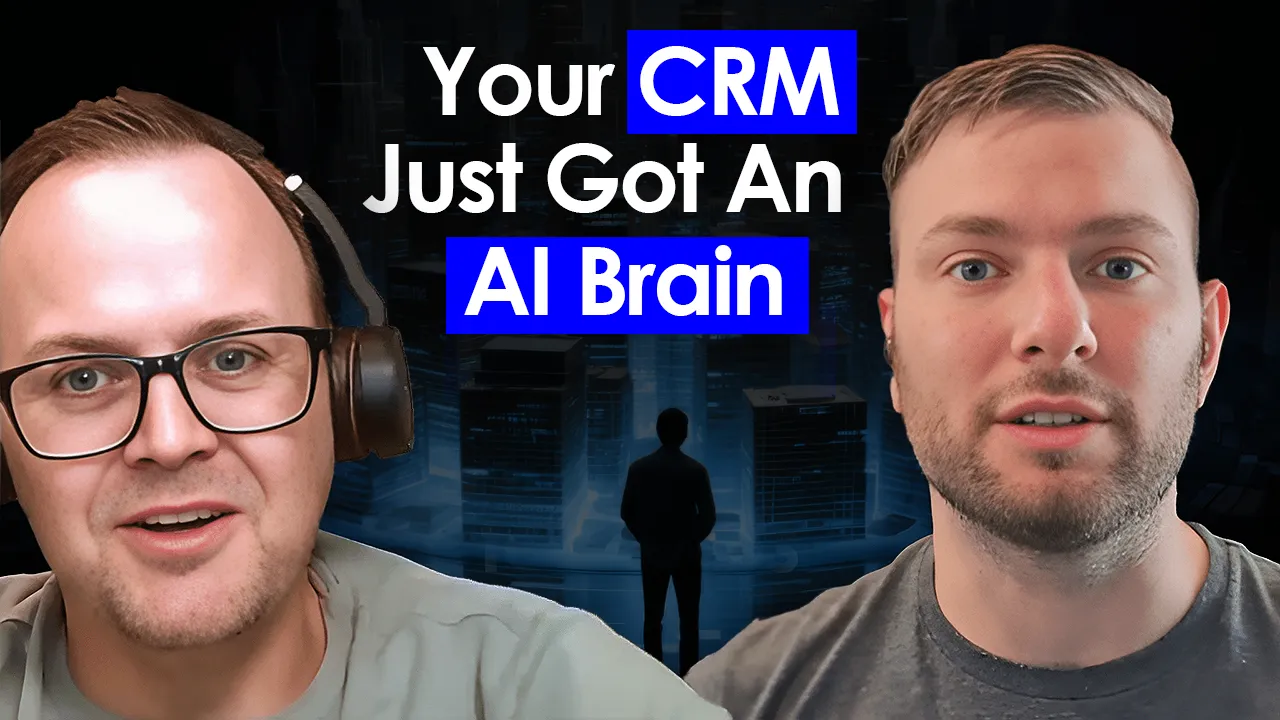
How to Leverage Copilot for Sales

Matthew Mead · Global Black Belt Technical Specialist, Microsoft
Share:
Show Notes
In this debut episode of AI Frontier Playbook, Samuel sits down with Matthew Mead, Global Black Belt Technical Specialist at Microsoft, to explore how AI is revolutionizing the sales process through Microsoft’s Copilot for Sales.
Matthew shares practical insights on how sales teams can leverage AI to work smarter, close deals faster, and build stronger customer relationships.
Key Takeaways
- How Copilot for Sales integrates AI into the day-to-day sales workflow
- The impact of AI-powered insights on deal velocity and pipeline management
- Real-world examples of sales teams using AI to gain competitive advantages
- Best practices for adopting AI tools in your sales organization
Resources
MicrosoftCopilotSalesAI in SalesBusiness Applications
Samuel
Hi everyone and welcome to the very first episode of our new series Mastering AI with the Experts. In this series we'll dive deep into the world of AI exploring its past present and future with top experts across various fields I'm thrilled to kick things off today with our first guest Mathew Mead from Microsoft who will be sharing insights on AI in sales business applications. Mathew, thank you so much for joining us to start could you please introduce yourself and tell us about your role at Microsoft.
Mathew
Absolutely thanks Sam and thanks for having me on your channel here so my name is Mathew Mead I'm a global black belt technical specialist so I'm within the business applications team of Microsoft I report into the US and really my role is to help customers globally who are working with Copilot business applications and really trying to figure out this technology and overcome the challenges they may face as they go down this path so looking forward to the conversation how like a really exciting role now if you could if you could sum up in 60 second 60 seconds like what's are the value and the benefits for the business for using AI in their sales business application how will you how will you explain that.
Mathew
Yeah absolutely because I think you need a reason to want to use this and adopt this technology because it is a change to how people work and their process but really the drivers are is the obvious one is around productivity so saving time and being more efficient in your role so hopefully you get to spend more time and say in front of customers and doing your prospecting and things like that to actually help drive revenue but it can also extend into things too around the time it takes to resolve issues bringing down the time it takes to resolve cases and work with customers but it can also lead to things like top-line revenue growth as well being able to be more efficient effective and grow revenue and save costs awesome now we've heard about about Copilot we all knows I think at this point that at Microsoft we had a lot of different Copilot and I heard about Copilot in Sales and Copilot for Sales so can you explain the difference between both absolutely it's a little bit confusing right but Copilot for Sales is really focused on productivity tools so think Outlook Teams Word we're going to have OneNote in the future so all of those peripheral office applications that people know and love that using that's where we're bringing Copilot for Sales connected to your system of record like Salesforce or Dynamics into their place of doing business and getting things done Copilot in Sales is really focused on our Dynamics 365 first-party Copilot experience so when I open up the Dynamics application I have a sidecar experience where I can ask questions and get information and we also have an immersive experience as well where I get more dashboarding and visualizations and Q&As well so that's very much Tethered to inside the Dynamics application whereas Copilot for Sales is outside in the Microsoft applications awesome okay so are you seeing a lot of customer using both or is it really two two different skills that work as standalone how does it work yeah.
Mathew
It's a.
Mathew
Great question I really do see a mix a lot of our existing Dynamics 365 customers are embracing it and bringing it into their workflow and adopting the in line experience inside Dynamics 365 sales but we're also so really unlocking value for a lot of customers who are running other CRM systems but have been using office for so many years it's a product and the Office suite's been around for 40 plus years so a lot of customers around the planet adopting and embracing it through their productivity tools using Copilot for Sales as well as using it inside Dynamics 365 as part of that workflow as well so it's really meeting the user where he works right giving the user the power of the AI and whatever whatever he works 100%. And I think I think that's important because we don't want to completely change the way people are working and what they're good at and their personality and how they're showing up for their customers so we're trying to meet them where they're at in their particular tools that they know and love and use on a daily basis but also enhance that core CRM system I tend to tell myself that people don't really get out of bed in the morning excited to jump and use a CRM system but if we can make that a better experience through those productivity tools by going into Outlook going into Teams collaborating chatting doing things like that and we can bring elements of CRM using generative AI where it matters the most that's a much better experience so that's really what we're targeting and what the holy grail for us is.
Samuel
Awesome so I think you were going to show us a little demonstration how Copilot for Sales work in Outlook right.
Mathew
That's right so what I thought I would first do here is really just kind of highlight the problem we're solving with Copilot for Sales remembering we're talking about systems of productivity and surrounding the CRM system with with productivity tools but really the problem we're trying to solve is fill in that disconnect between the system of record Dynamics 365 Salesforce other CRMs in the future and that connectivity when it comes to systems of productivity Teams and Outlook and Word and others and really why we're we're trying to do that is that we know these systems are typically very disconnected sales folks Business Development Representatives anybody who's really interfacing with a customer often has to duplicate effort do double data entry go to multiple systems to get the information they need and really what that equates to is quite a bit of time spent on administrative overhead administrative tasks and only 32% of the time spent on actual selling so we're trying to reduce that administrative burden that overhead and get sellers focused on the customers in front of them using productivity tools of choice using that generative AI while keeping that system of record up to date and as I mentioned here the solution to that really is Copilot for Sales that piece of technology that sits in the middle across those productivity tools realtime connected to CRM and what it's doing is giving you AI suggestions insights and empowerment around the recommendations the actions as well as keeping the CRM up to date and being able to enter data back into Dynamics or Salesforce dynamically and easily but probably most importantly keeping people in the flow of work using the applications they know and love that's really is the key here so the CRM comes along for the journey across those productivity tools and we use Copilot for Sales to do everything else in the middle so let's take a little look at Outlook in action so going to show you an Outlook screen right now and I'll just take you through the basics of how this works but case in point here is I a busy busy development representative I have lots of emails with my clients going on and I have an email here that's come in regarding a network expansion opportunity just a fictional scenario I'm going to open up Copilot for Sales and I'm going to pin that to the right hand side of my screen and basically that's where it's going to live and breath from this point onwards and what's important about that is obviously as I move around my mailbox and I interact with different emails from different clients Copilot for Sales is really going to follow me in stay up to date as we navigate around the mailbox so obviously I can do things like I'm going to take a copy of the email and save it to my CRM system in this case Salesforce can include the attachments as well so we're not leaving anything behind I can look at things like my most recent communication so think about maybe I received an email from a client then subsequent emails come in and I get behind I can always recap and summarize the most recent communication so I always have the latest and greatest to work with and that flows into what you're seeing on screen right now key email info now what that's doing is boiling down this very large multi-threaded email with multiple stakeholders down to salient points so I have information about what do I need to do what are the actions what is the ask from the client and it starts to delineate between the things that I need to do schedule a meeting follow up with the proposal and of course I can use that information I can save it to the CRM system and take care of all of that kind of good stuff that I need to do with that email summary info you saw there that I hovered over the bubbles everything is grounded so I know where I'm sourcing that information from so we're not hallucinating we're we're drawing that from office graph in in office suite we're drawing it from our CRM system and we're using Azure OpenAI to pull that response together as I said I can save that response to my CRM system and I can also go ahead and reply that email drafting an email is has been around a little while now but what's great about this that one I can go completely bespoke use my own prompts create my own prompts and it's going to look inside my CRM system it's going to look inside graph it's going to use OpenAI and it can actually get pretty advanced in creating proposals and using information from your CRM system and turning it into a really nicely formatted email response again with the idea that I'm being more productive and saving time sparking that creativity and replying into emails and getting that done quick and of course you can change the length the style you can even look at calendar to see availability when you're doing these as well onboarding new clients is another big piece here as well if I just pause that multiple stakeholders on email in this case I've got a new contact from Abby Moss I don't have a relationship with Abby but she is important to this decision what you saw there is I could quickly add Abby to Salesforce two clicks it's going to pull information out of the CRM out of the email and push that into the CRM system for me and we have a lot of information in enhancements coming around that but the idea is keeping contacts and data hygiene in that CRM system at the forefront so we're not leaving anything behind and we're in the future keeping it up to date as we go which is great forecasting downstream reporting and ultimately the understanding of your client that you've got correct and accurate information so we've got our list of contacts there and if I dig into Scott who's my existing contact lots of great information I have some private notes about him that I can capture just for me as a seller to reference as I need them I have contact information from from different sources that we can look at so great integration with people AI to enhance our models and get additional insights around the relationship and you can see there hey I've got referenceable referenceable contacts and colleagues I can dig into and of course if I have permission to do so I can go ahead and make edits and updates directly from here as well we have a LinkedIn linked accounts we have cases we have all our activity information and we can even tap into third-party systems as well this new and we'll dig into this a little bit later on here's an example KYC I have a KYC process with my back office that needs to approve this account maybe whether they're going to allow credit for them to make a purchase I have information about that KYC that's taken place outside of this system outside of my CRM but I can snapshot that using Copilot Studio and bring that in as part of my workflow so single pane of glass key information about my KYC and my customer and what we're selling all within one pane inside Copilot for Sales so I've got that there as well got my account information all of that is editable as we go and then we've also got opportunity information as well which is really the core to this great information and back ground around the opportunity the opportunity value the close date more information about that KYC process happening and of course information about the opportunity itself and any other sort of contract information we need goes without saying I can create new records from here if I wish and you can control which is editable and creatable and I can search for any information as well so if I want to look for other related opportunities or accounts that I belong to I can do that directly from the screen too so this really packs a punch ton of information ton of capabilities a lot of suggested actions insights that are happening directly with an Outlook real-time connected to your CRM system.
Samuel
Okay great and something I hear a lot like in Dynamics 365 we do have our own add-in Outlook add-in I know Salesforce do as well what will you say is the most the biggest differentiator so why why as a customer should I go for Copilot for Sales versus using my my existing add-in.
Mathew
Yeah absolutely so yes we run into other add-ins that work with CRM systems add-ins for CRM have been around for a long time I think the difference in where we're turning the corner with this particular piece is that you're not one just tether to Outlook so this experience is going to follow you when you'll see shortly when we go into Teams when we go into Word we have other experiences coming up in OneNote as well so we're actually adding multiple different office applications to the picture here that doesn't matter where I'm working I'm going to be able to access this kind of information to help me make good decisions I think the other reason too is that this built by Microsoft on Microsoft so this natively Blends into your existing apps it's that same kind Office fabric that and love and used to because it's all part of our platform it just works a little bit more seamlessly than sort of adding on additional bolt-ons that aren't used by the Microsoft Teams is what I'd say there there's other things as well obviously we're we're at the forefront when it comes to generative AI with our partnership with OpenAI and what we're doing there but I think it's it's also fair to say that this a new category and way of working so we're really innovating fast we're listening to customers when we're trying to make this the best we can be so it's there isn't a precedent in this space either so I think to sum that up Sam it's really put your faith in us that hey we've got your back on this we're listening and we're we're advancing and innovating very quickly in this space as well and it is it's kind of amazing.
Samuel
So for the folks listening that have been around Dynamics for a long time if if you go back I've been doing this for 20 years it used to be kind of a once a year rollup that you would apply very long feedback cycle and then now Dynamics is twice a year Wave 1 and Wave 2 this product Copilot for Sales is every month so you just think about that so we can get feedback literally one to two months out Implement that in the product test it release it very quickly it's more akin to the Office 365 M365 release Cadence because this really part of the office suite so just wanted to make sure understand that not a very long lead or a wait time for new capabilities and enhancements we're innovating extremely fast on a monthly basis yeah so you mentioned it's also integrated into Word and Teams.
Samuel
So I think you were going to show us a bit how like yeah so let's switch over and take a look at our our Word integration and take you through this so just a bit of a preface this a fairly new space for us but what we're doing is actively working on different templates and different iterations of where it makes sense with Word to be able to prepare summaries and prepare content but let me give you a sense of how this one works so I come into Word looks pretty normal I have my little Copilot icon and the way this works is I open Copilot and knowing that I'm going to go and meet with a client I want to understand what is happening in that account what is the opportunity we're about to discuss who's accepting my meeting what is the agenda so back in the day when I used to build these types of reports as part of my Consulting days I'd have to build a lot of this through SSRS and create those call prep reports tear sheet type reports not anymore I tell Copilot what I'm looking for so I want to prepare a meeting preparation document based on a calendar invite that I have connected to an opportunity I want to discuss and you can see what this doing is going into Salesforce looking at my calendar looking at graph inside Microsoft and it starts to pull all of this information down so I'm going to meet with Quantum connect we've got the meeting on the calendar my RSVPs the overview of the opportunity what we're going to discuss this a demo environment but in a real situation if you've had prior meetings prior cases emails chats exchanged all of that would feed into this template and of course I let that run it plays out and I save it and that now becomes my swivel chair so I can distribute this with the team internally I can share it on Teams I can put it in the briefcase if I need to but I have my meeting preparation done for me in a matter of seconds which is huge huge where we want to go next with this crazy it is crazy yeah it's unbelievable this used to be a pretty complex report you'd have to write and this a pretty neat piece of technology in a great use case of AI it's very popular it's Landing well using this where we want to go next and we know is RFP responses RFP RFI are producing responses and actually laying that out into a Word template we're still actively working on it it's we've been talking about it for a while we're still building it but that is going to be something that's going to come next when it comes to Word another another functionality I'm really excited about from Copilot for Sales is integration with Microsoft Teams if you ask me my favorite functionality from Microsoft 365 Copilot is the integration with team because I can literally ask any questions about a previous meeting and since I have a really short attention span this this functionality is really useful for myself or to keep up with where where we're going with a specific project or with a specific customer so how does it look with Copilot for Sales because it add layers to what is already awesome I think in Microsoft 100% yeah and.
Samuel
I can relate to that I miss most of the meetings I'm supposed to turn up to unfortunately we're all busy right what you'll see shortly is I can capture the recap I know when I've been mentioned I know what's expected of me and we hold sellers accountable by closing the loop to say hey the customer's expecting this and making sure everything that comes out of Teams is actionable as well so we'll we'll dig into that in a moment but yeah to your point this a team in itself is a fantastic product what we're doing is layering on Copilot for Sales so when I'm talking to a client I have competitive analysis I have access to the sales records inside my CRM system and then of course as I mentioned being able to take all of the actions the insights the next steps that come out of these kind of complex virtual meetings and make them actionable across across your system so let me show you a little bit about what's happening with Teams so example I'm showing you is typically where a Teams meeting starts as I met with a client I've I've got them on Teams in this case it's myself and gentleman named Scott again I'm going to record and transcribe the meetings there is a requirement for what you're about to see next to record and transcribe there's some nuances around that piece but obviously you'll see the output that comes out is much better from a recording and transcription standpoint once once that's triggered but typical Teams score right we're we're chatting away got my recording and transcription running and you can see that I clicked on my Copilot for Sales icon up the top of my screen so it is following me literally through my productivity tools and I'm connected to an opportunity that we're going to discuss on the sales meeting so I can go in I can make edits to that opportunity I can make my updates maybe I'm challenging the customer as I'm talking I can get my latest budget estimate a close date sales stage plug all those in real-time while I'm talking to them and asking my line of questioning that's the first part where this actually gets really interesting is the call advances you can see some things happening here so this a fixational example HP I love HP they're one of my my favorite customers if this particular client starts mentioning hulet Packard and how much he loves them and he's got some great devices from them in this scenario HP is a competitor so what we did is we popped up HP we pulled out a little bit of a blurb around HP in their product offering so I can use that as part of my talk track to counter the conversation perhaps pivoted in a different direction and as you'll see so on and.
Samuel
So forth the competitors come up and we can be looking at your competitor list inside your CRM system as well to drive this but actually this running automatically based on just literally what we're saying picking up those cues and in my voice around those competitors and prompting me with talking points around competitors super cool the next Direction headed with this the I mentioned bant analysis so we're going to have bant analysis happening inside Outlook looking at the timing and the compelling events when it comes to qualifying an opportunity we're also looking at having bant analysis running here as well so when we're talking about the timing and the budget and the estimated value giving the seller tips and tricks as they're talking around those attributes as well so the next part is when I get off that call what do I do next obviously great conversation a lot of information came out of that call hopefully we're we're closer to Landing a new piece of business so I'm going to show you what happens inside Teams for the recap of that conversation so this a real example here and I'm protecting the innocent because this a real call but an example where we had a conversation around some some energy scenarios and you can see Teams does a great job we've got the speakers we've got the topics we've got the chapters everything's broken down by sentiment analysis as well so I can go back and track how people are doing and actually whether they're participating and we'll talk about that more in a moment but the Beautiful Things Teams does is hey we've got now all our AI driven notes.
Samuel
So for me as a seller I was eyes up focused on the conversation with my client while I let Teams capture my digital notes for me so I didn't have to be off the side of my desk in my notebook working in OneNote I let Teams do that for me which is a huge timesaver that's a huge benefit because I'm more engaged in what I'm doing so I've got all the notes that we can use there we got the follow tasks but where Copilot for Sales sneaks in is that we have an additional tab as a license user and this breaks things down in the context of the deal the opportunity we're discussing so I have some follow-up tasks that came in this call lots of questions lots of different pieces that were raised and then I have some participant statistics which is really interesting as well so if you're thinking about a sales organization am I speaking too fast too slow am I switching too much pausing too much so these participant statistics in aggregate roll into a dashboard so we can start to look at hey how are my sellers doing how are they performing what are the keywords the mentions the competitors that keep coming up and we can use that in aggregate to help us make some decisions as an organization around how we're actually doing on these types of virtual meetings so but that's individual participant statistics we've got lots of keywords we've got lots of different topics and tees and things that have come up all of those are reportable and of course of course as I mentioned I can go ahead and create a task directly in my CRM system and I this one here as an example I'm going to connect it to a fake account just for demo purposes but Cody in this case is assigned a task that will flow through to his Outlook and he's notified that hey we're expecting you to follow up and do something so we're really effectively closing that Loop and of course everything that I've done here is in summarize form I can package this up as a summary of that meeting I can put that in my CRM system I can also package it up and distribute it on email as well so we're socializing the notes internally and externally externally to the client very powerful so if I can ask what's the main differentiator when you look at Microsoft 365 Copilot in Teams and the layer that's added to sell so far for our audience when when so let's say I already have Microsoft 365 Copilot at which do a part of this sub and taking Etc what's what's exactly the layer that cop out for sales is adding to that yeah.
Mathew
Great question so Microsoft 365 Copilot in Teams by itself amazing tool amazing product the difference here is that there is a dotted line down the middle where me as a role-based s seller using a CRM system I need an additional data point I need additional information from that CRM system infused into this so Microsoft 365 Copilot by itself has no understanding or concept of CRM Copilot for Sales on top of Microsoft 365 Copilot is the surface layer that has understanding and reasoning across my CRM system so when you put the two together I have this new role-based experience inside Teams and Outlook and so on and I have access to all of that key CRM information so the activities the opportunities the products and price list what's happening with the account and the relationship it's those additional points and layers that really make the difference on top of the M365 experience if you will I got it so it add the context needed for the Copilot to understand what what I'm doing right day-to-day with my which customer and how do I interact with them which okay this this pretty cool.
Samuel
Awesome.
Samuel
So thanks a lot for those demos now how customizable or extensible is I know that earlier when you demonstrate Copilot for Sales and Outlook you mentioned that now we can integrate with other third-party systems so what's the limit of it how how can I can extend Copilot for Sales absolutely so that's a that's a big part of the story meeting with customers over the last couple of years in this technology has really been able to tap in and extend not not only the core sort of CRM aspects of Copilot for Sales but also extend into other systems so think of different databases knowledge sources maybe it's sales and marketing information that lives outside of core CRM maybe it's ERP Financial transactional type systems so what we've done is we have an inline settings experience.
Samuel
So for our for our Dynamics and Salesforce customers you can bring in your tables your objects your views your fields and layout and all of that kind of good stuff around the forms and the views and how you actually interact with Copilot for Sales is all part of the out-of-the-box settings in toolkit that exist behind Copilot for Sales it's very simple to use very easy to set up very much a turnkey type solution what we announced back in May is at Microsoft build is our integration with Copilot for Sales and Copilot Studio so this really takes it to the next level where I can come into Copilot Studio and natively I see Copilot for Sales in my environment where I've employed Copilot for Sales and I now have the ability to connect to basically thousands of different connectors that exist within our Power Platform system so all of the main players within Microsoft the players outside of Microsoft we have connectors to the role of that you would play as a implementing this obviously we don't understand the context of how you're using your data with your CRM but we allow you to come in and add actions so we have some existing ones around DocuSign and Pros they might be a few others in here as well but if you say wanted to example you had a custom connector on Power Platform for an application or a database or something that you were working with you can connect to that create your own custom AI actions and that's what you saw popping up inside the demo I did through Outlook furthermore really this more of a directionally where we're headed is all those additional connectors to be able to connect with typical actions that you would take in those types of systems so maybe pulling down records creating new records things like that across different systems being able to access that information using Copilot Studio and add those into Copilot for Sales so long answer Sam but yeah we have that very powerful extensibility layer that's included with Copilot for Sales and it's really around Copilot Studio this this actually they will change the way I think people are seeing using Cal for sales so basically I'm not limited right to connect to a system of record from Microsoft right if I do have a CP or if I have an Excel spreadsheet sitting somewhere I can connect to it and add it as a context to my Copilot so we can provide the proper information right yeah 100% and a lot of our customers are already familiar with Power Platform Copilot for Sales has a Power Platform element to it with a Dataverse and by virtue of having that you have some Power Platform capability so if you haven't taken a look at Power Platform we have literally thousands of connectors sitting in this not all of them are available with Copilot for Sales just yet we're as I said we only announced in May so we're probably about three months in now so a lot of them are coming online but yeah not only Microsoft connected Solutions but external Solutions as well your oracles your saps and things like that are all in here as well as a lot of other point Solutions smaller and larger as well if you don't have a connector you can go ahead and create a connector we have multiple different ways of connecting to datas long as you have a little bit of Technical knowhow and you can access those endpoints of your systems first-party connector or custom connectors will do the job as well but this an extremely important part of the story because that extensibility is really going to open up additional data sources so we can correlate information happening outside of core CRM with the information happening in CRM and bring it all together to give you that true or picture of your client and the business you're doing with them is this available today it is yeah yep so Copilot for Sales connectivity to Copilot Studio was announced in May up until recently we've just focused on custom connectors so depending on when you're watching this a lot of these other connectors will be coming online as well so you can come in pick a connector use out-of-the-box actions create your own actions publish those and start consuming them through Copilot for Sales and service and other applications as well we're not just stopping with sales this really going to be the framework for all of our Copilot extensibility that's great.
Samuel
So thanks a lot for the demo I think we've covered we covered pretty much all of what Copilot for Sales add to the Microsoft 365 suit right I think it's it's adding a lot of value right pulling data from all your Microsoft ecosystem and from all the tools are business application you're using daily thanks a lot for that now our our time together is almost at the end but I like to I like to know how do you see the role of a AI evolving in sales tools over the next few years or maybe even few months because again it's evolving Lightning Fast yeah it's.
Mathew
It's a.
Mathew
Great question I'm very passionate about this as well and certainly vocal when I'm talking to my extended Teams around what I'd love to see couple of really big themes is more around proactive insights and what I mean by that is proactive next best actions proactive suggested actions so as a seller not going in and just summarizing and kind of recapping what I've already done that's super helpful like I think we're really established there but truly giving me AI generative insights around hey you need to call this person hey something is a Miss over here or maybe someone's changed jobs and giving you these proactive suggestions with context using gen to Really Elevate proactively what I should do almost in an autonomous way I think we'll see some of that the other part that I'm really excited about is LinkedIn Microsoft owns the world's largest professional social network with LinkedIn and we're going to see a lot more use cases and in interoperability with LinkedIn coming into the sales experience so that's that's important for a few reasons one is that prospecting and that research and understanding we want to bring that to where people are working to have that access to information but it's also important just to be able to understand if someone moves roles or gets a promotion or change jobs or has an icebreaker for an additional lead that you're working on having all of that at your fingertips is super helpful and it and it should be there and I can't wait for it to be there so watch the space you're going to see a lot more from the LinkedIn side of things.
Samuel
Awesome so.
Samuel
I suppose if I'm a user of the M365 suit right now and I'm on in sales.
Samuel
I totally want to try Copilot it for sales where do I go if I want to try it out how does it work.
Mathew
Yeah absolutely so existing customers you obviously talk to your Microsoft rep and they will be able to tee you up to get a trial to try some of this out we are going to have depending on when you're watching this we are going to have opt-in free trials coming in we're we're recording this in August it's going to be around the August time frame that you'll be be able to opt in try a free trial you can easily find that online through your M365 portal to try it or again reach out to your Microsoft rep and they'll be more than happy to help you yeah try it out try the and get that business value that this can provide it's great technology and there's a lot of Sizzle here but it actually does provide a tremendous around amount of business value as well around this and certainly we can talk some of the kpis and success criteriaround those business value as well yeah please talk to your Microsoft rep and more than happy to engage and have a conversation.
Samuel
Awesome.
Samuel
So thanks a lot for taking the time to me today I know you're really busy driving into all those conversations with our Microsoft customers so thank thanks a lot for taking the time hope I'll see you again maybe for a next episode on Copilot at inels yeah yeah I'd love that.
Mathew
It's my pleasure like hopefully you can see I'm very passionate about this topic I do truly love it I love talking about it yeah it's let's talk soon about Copilot inside Dynamics lots of exciting stuff happening there as well appreciate it awesome thank you take care thank you.
Hi everyone and welcome to the very first episode of our new series Mastering AI with the Experts. In this series we'll dive deep into the world of AI exploring its past present and future with top experts across various fields I'm thrilled to kick things off today with our first guest Mathew Mead from Microsoft who will be sharing insights on AI in sales business applications. Mathew, thank you so much for joining us to start could you please introduce yourself and tell us about your role at Microsoft.
Mathew
Absolutely thanks Sam and thanks for having me on your channel here so my name is Mathew Mead I'm a global black belt technical specialist so I'm within the business applications team of Microsoft I report into the US and really my role is to help customers globally who are working with Copilot business applications and really trying to figure out this technology and overcome the challenges they may face as they go down this path so looking forward to the conversation how like a really exciting role now if you could if you could sum up in 60 second 60 seconds like what's are the value and the benefits for the business for using AI in their sales business application how will you how will you explain that.
Mathew
Yeah absolutely because I think you need a reason to want to use this and adopt this technology because it is a change to how people work and their process but really the drivers are is the obvious one is around productivity so saving time and being more efficient in your role so hopefully you get to spend more time and say in front of customers and doing your prospecting and things like that to actually help drive revenue but it can also extend into things too around the time it takes to resolve issues bringing down the time it takes to resolve cases and work with customers but it can also lead to things like top-line revenue growth as well being able to be more efficient effective and grow revenue and save costs awesome now we've heard about about Copilot we all knows I think at this point that at Microsoft we had a lot of different Copilot and I heard about Copilot in Sales and Copilot for Sales so can you explain the difference between both absolutely it's a little bit confusing right but Copilot for Sales is really focused on productivity tools so think Outlook Teams Word we're going to have OneNote in the future so all of those peripheral office applications that people know and love that using that's where we're bringing Copilot for Sales connected to your system of record like Salesforce or Dynamics into their place of doing business and getting things done Copilot in Sales is really focused on our Dynamics 365 first-party Copilot experience so when I open up the Dynamics application I have a sidecar experience where I can ask questions and get information and we also have an immersive experience as well where I get more dashboarding and visualizations and Q&As well so that's very much Tethered to inside the Dynamics application whereas Copilot for Sales is outside in the Microsoft applications awesome okay so are you seeing a lot of customer using both or is it really two two different skills that work as standalone how does it work yeah.
Mathew
It's a.
Mathew
Great question I really do see a mix a lot of our existing Dynamics 365 customers are embracing it and bringing it into their workflow and adopting the in line experience inside Dynamics 365 sales but we're also so really unlocking value for a lot of customers who are running other CRM systems but have been using office for so many years it's a product and the Office suite's been around for 40 plus years so a lot of customers around the planet adopting and embracing it through their productivity tools using Copilot for Sales as well as using it inside Dynamics 365 as part of that workflow as well so it's really meeting the user where he works right giving the user the power of the AI and whatever whatever he works 100%. And I think I think that's important because we don't want to completely change the way people are working and what they're good at and their personality and how they're showing up for their customers so we're trying to meet them where they're at in their particular tools that they know and love and use on a daily basis but also enhance that core CRM system I tend to tell myself that people don't really get out of bed in the morning excited to jump and use a CRM system but if we can make that a better experience through those productivity tools by going into Outlook going into Teams collaborating chatting doing things like that and we can bring elements of CRM using generative AI where it matters the most that's a much better experience so that's really what we're targeting and what the holy grail for us is.
Samuel
Awesome so I think you were going to show us a little demonstration how Copilot for Sales work in Outlook right.
Mathew
That's right so what I thought I would first do here is really just kind of highlight the problem we're solving with Copilot for Sales remembering we're talking about systems of productivity and surrounding the CRM system with with productivity tools but really the problem we're trying to solve is fill in that disconnect between the system of record Dynamics 365 Salesforce other CRMs in the future and that connectivity when it comes to systems of productivity Teams and Outlook and Word and others and really why we're we're trying to do that is that we know these systems are typically very disconnected sales folks Business Development Representatives anybody who's really interfacing with a customer often has to duplicate effort do double data entry go to multiple systems to get the information they need and really what that equates to is quite a bit of time spent on administrative overhead administrative tasks and only 32% of the time spent on actual selling so we're trying to reduce that administrative burden that overhead and get sellers focused on the customers in front of them using productivity tools of choice using that generative AI while keeping that system of record up to date and as I mentioned here the solution to that really is Copilot for Sales that piece of technology that sits in the middle across those productivity tools realtime connected to CRM and what it's doing is giving you AI suggestions insights and empowerment around the recommendations the actions as well as keeping the CRM up to date and being able to enter data back into Dynamics or Salesforce dynamically and easily but probably most importantly keeping people in the flow of work using the applications they know and love that's really is the key here so the CRM comes along for the journey across those productivity tools and we use Copilot for Sales to do everything else in the middle so let's take a little look at Outlook in action so going to show you an Outlook screen right now and I'll just take you through the basics of how this works but case in point here is I a busy busy development representative I have lots of emails with my clients going on and I have an email here that's come in regarding a network expansion opportunity just a fictional scenario I'm going to open up Copilot for Sales and I'm going to pin that to the right hand side of my screen and basically that's where it's going to live and breath from this point onwards and what's important about that is obviously as I move around my mailbox and I interact with different emails from different clients Copilot for Sales is really going to follow me in stay up to date as we navigate around the mailbox so obviously I can do things like I'm going to take a copy of the email and save it to my CRM system in this case Salesforce can include the attachments as well so we're not leaving anything behind I can look at things like my most recent communication so think about maybe I received an email from a client then subsequent emails come in and I get behind I can always recap and summarize the most recent communication so I always have the latest and greatest to work with and that flows into what you're seeing on screen right now key email info now what that's doing is boiling down this very large multi-threaded email with multiple stakeholders down to salient points so I have information about what do I need to do what are the actions what is the ask from the client and it starts to delineate between the things that I need to do schedule a meeting follow up with the proposal and of course I can use that information I can save it to the CRM system and take care of all of that kind of good stuff that I need to do with that email summary info you saw there that I hovered over the bubbles everything is grounded so I know where I'm sourcing that information from so we're not hallucinating we're we're drawing that from office graph in in office suite we're drawing it from our CRM system and we're using Azure OpenAI to pull that response together as I said I can save that response to my CRM system and I can also go ahead and reply that email drafting an email is has been around a little while now but what's great about this that one I can go completely bespoke use my own prompts create my own prompts and it's going to look inside my CRM system it's going to look inside graph it's going to use OpenAI and it can actually get pretty advanced in creating proposals and using information from your CRM system and turning it into a really nicely formatted email response again with the idea that I'm being more productive and saving time sparking that creativity and replying into emails and getting that done quick and of course you can change the length the style you can even look at calendar to see availability when you're doing these as well onboarding new clients is another big piece here as well if I just pause that multiple stakeholders on email in this case I've got a new contact from Abby Moss I don't have a relationship with Abby but she is important to this decision what you saw there is I could quickly add Abby to Salesforce two clicks it's going to pull information out of the CRM out of the email and push that into the CRM system for me and we have a lot of information in enhancements coming around that but the idea is keeping contacts and data hygiene in that CRM system at the forefront so we're not leaving anything behind and we're in the future keeping it up to date as we go which is great forecasting downstream reporting and ultimately the understanding of your client that you've got correct and accurate information so we've got our list of contacts there and if I dig into Scott who's my existing contact lots of great information I have some private notes about him that I can capture just for me as a seller to reference as I need them I have contact information from from different sources that we can look at so great integration with people AI to enhance our models and get additional insights around the relationship and you can see there hey I've got referenceable referenceable contacts and colleagues I can dig into and of course if I have permission to do so I can go ahead and make edits and updates directly from here as well we have a LinkedIn linked accounts we have cases we have all our activity information and we can even tap into third-party systems as well this new and we'll dig into this a little bit later on here's an example KYC I have a KYC process with my back office that needs to approve this account maybe whether they're going to allow credit for them to make a purchase I have information about that KYC that's taken place outside of this system outside of my CRM but I can snapshot that using Copilot Studio and bring that in as part of my workflow so single pane of glass key information about my KYC and my customer and what we're selling all within one pane inside Copilot for Sales so I've got that there as well got my account information all of that is editable as we go and then we've also got opportunity information as well which is really the core to this great information and back ground around the opportunity the opportunity value the close date more information about that KYC process happening and of course information about the opportunity itself and any other sort of contract information we need goes without saying I can create new records from here if I wish and you can control which is editable and creatable and I can search for any information as well so if I want to look for other related opportunities or accounts that I belong to I can do that directly from the screen too so this really packs a punch ton of information ton of capabilities a lot of suggested actions insights that are happening directly with an Outlook real-time connected to your CRM system.
Samuel
Okay great and something I hear a lot like in Dynamics 365 we do have our own add-in Outlook add-in I know Salesforce do as well what will you say is the most the biggest differentiator so why why as a customer should I go for Copilot for Sales versus using my my existing add-in.
Mathew
Yeah absolutely so yes we run into other add-ins that work with CRM systems add-ins for CRM have been around for a long time I think the difference in where we're turning the corner with this particular piece is that you're not one just tether to Outlook so this experience is going to follow you when you'll see shortly when we go into Teams when we go into Word we have other experiences coming up in OneNote as well so we're actually adding multiple different office applications to the picture here that doesn't matter where I'm working I'm going to be able to access this kind of information to help me make good decisions I think the other reason too is that this built by Microsoft on Microsoft so this natively Blends into your existing apps it's that same kind Office fabric that and love and used to because it's all part of our platform it just works a little bit more seamlessly than sort of adding on additional bolt-ons that aren't used by the Microsoft Teams is what I'd say there there's other things as well obviously we're we're at the forefront when it comes to generative AI with our partnership with OpenAI and what we're doing there but I think it's it's also fair to say that this a new category and way of working so we're really innovating fast we're listening to customers when we're trying to make this the best we can be so it's there isn't a precedent in this space either so I think to sum that up Sam it's really put your faith in us that hey we've got your back on this we're listening and we're we're advancing and innovating very quickly in this space as well and it is it's kind of amazing.
Samuel
So for the folks listening that have been around Dynamics for a long time if if you go back I've been doing this for 20 years it used to be kind of a once a year rollup that you would apply very long feedback cycle and then now Dynamics is twice a year Wave 1 and Wave 2 this product Copilot for Sales is every month so you just think about that so we can get feedback literally one to two months out Implement that in the product test it release it very quickly it's more akin to the Office 365 M365 release Cadence because this really part of the office suite so just wanted to make sure understand that not a very long lead or a wait time for new capabilities and enhancements we're innovating extremely fast on a monthly basis yeah so you mentioned it's also integrated into Word and Teams.
Samuel
So I think you were going to show us a bit how like yeah so let's switch over and take a look at our our Word integration and take you through this so just a bit of a preface this a fairly new space for us but what we're doing is actively working on different templates and different iterations of where it makes sense with Word to be able to prepare summaries and prepare content but let me give you a sense of how this one works so I come into Word looks pretty normal I have my little Copilot icon and the way this works is I open Copilot and knowing that I'm going to go and meet with a client I want to understand what is happening in that account what is the opportunity we're about to discuss who's accepting my meeting what is the agenda so back in the day when I used to build these types of reports as part of my Consulting days I'd have to build a lot of this through SSRS and create those call prep reports tear sheet type reports not anymore I tell Copilot what I'm looking for so I want to prepare a meeting preparation document based on a calendar invite that I have connected to an opportunity I want to discuss and you can see what this doing is going into Salesforce looking at my calendar looking at graph inside Microsoft and it starts to pull all of this information down so I'm going to meet with Quantum connect we've got the meeting on the calendar my RSVPs the overview of the opportunity what we're going to discuss this a demo environment but in a real situation if you've had prior meetings prior cases emails chats exchanged all of that would feed into this template and of course I let that run it plays out and I save it and that now becomes my swivel chair so I can distribute this with the team internally I can share it on Teams I can put it in the briefcase if I need to but I have my meeting preparation done for me in a matter of seconds which is huge huge where we want to go next with this crazy it is crazy yeah it's unbelievable this used to be a pretty complex report you'd have to write and this a pretty neat piece of technology in a great use case of AI it's very popular it's Landing well using this where we want to go next and we know is RFP responses RFP RFI are producing responses and actually laying that out into a Word template we're still actively working on it it's we've been talking about it for a while we're still building it but that is going to be something that's going to come next when it comes to Word another another functionality I'm really excited about from Copilot for Sales is integration with Microsoft Teams if you ask me my favorite functionality from Microsoft 365 Copilot is the integration with team because I can literally ask any questions about a previous meeting and since I have a really short attention span this this functionality is really useful for myself or to keep up with where where we're going with a specific project or with a specific customer so how does it look with Copilot for Sales because it add layers to what is already awesome I think in Microsoft 100% yeah and.
Samuel
I can relate to that I miss most of the meetings I'm supposed to turn up to unfortunately we're all busy right what you'll see shortly is I can capture the recap I know when I've been mentioned I know what's expected of me and we hold sellers accountable by closing the loop to say hey the customer's expecting this and making sure everything that comes out of Teams is actionable as well so we'll we'll dig into that in a moment but yeah to your point this a team in itself is a fantastic product what we're doing is layering on Copilot for Sales so when I'm talking to a client I have competitive analysis I have access to the sales records inside my CRM system and then of course as I mentioned being able to take all of the actions the insights the next steps that come out of these kind of complex virtual meetings and make them actionable across across your system so let me show you a little bit about what's happening with Teams so example I'm showing you is typically where a Teams meeting starts as I met with a client I've I've got them on Teams in this case it's myself and gentleman named Scott again I'm going to record and transcribe the meetings there is a requirement for what you're about to see next to record and transcribe there's some nuances around that piece but obviously you'll see the output that comes out is much better from a recording and transcription standpoint once once that's triggered but typical Teams score right we're we're chatting away got my recording and transcription running and you can see that I clicked on my Copilot for Sales icon up the top of my screen so it is following me literally through my productivity tools and I'm connected to an opportunity that we're going to discuss on the sales meeting so I can go in I can make edits to that opportunity I can make my updates maybe I'm challenging the customer as I'm talking I can get my latest budget estimate a close date sales stage plug all those in real-time while I'm talking to them and asking my line of questioning that's the first part where this actually gets really interesting is the call advances you can see some things happening here so this a fixational example HP I love HP they're one of my my favorite customers if this particular client starts mentioning hulet Packard and how much he loves them and he's got some great devices from them in this scenario HP is a competitor so what we did is we popped up HP we pulled out a little bit of a blurb around HP in their product offering so I can use that as part of my talk track to counter the conversation perhaps pivoted in a different direction and as you'll see so on and.
Samuel
So forth the competitors come up and we can be looking at your competitor list inside your CRM system as well to drive this but actually this running automatically based on just literally what we're saying picking up those cues and in my voice around those competitors and prompting me with talking points around competitors super cool the next Direction headed with this the I mentioned bant analysis so we're going to have bant analysis happening inside Outlook looking at the timing and the compelling events when it comes to qualifying an opportunity we're also looking at having bant analysis running here as well so when we're talking about the timing and the budget and the estimated value giving the seller tips and tricks as they're talking around those attributes as well so the next part is when I get off that call what do I do next obviously great conversation a lot of information came out of that call hopefully we're we're closer to Landing a new piece of business so I'm going to show you what happens inside Teams for the recap of that conversation so this a real example here and I'm protecting the innocent because this a real call but an example where we had a conversation around some some energy scenarios and you can see Teams does a great job we've got the speakers we've got the topics we've got the chapters everything's broken down by sentiment analysis as well so I can go back and track how people are doing and actually whether they're participating and we'll talk about that more in a moment but the Beautiful Things Teams does is hey we've got now all our AI driven notes.
Samuel
So for me as a seller I was eyes up focused on the conversation with my client while I let Teams capture my digital notes for me so I didn't have to be off the side of my desk in my notebook working in OneNote I let Teams do that for me which is a huge timesaver that's a huge benefit because I'm more engaged in what I'm doing so I've got all the notes that we can use there we got the follow tasks but where Copilot for Sales sneaks in is that we have an additional tab as a license user and this breaks things down in the context of the deal the opportunity we're discussing so I have some follow-up tasks that came in this call lots of questions lots of different pieces that were raised and then I have some participant statistics which is really interesting as well so if you're thinking about a sales organization am I speaking too fast too slow am I switching too much pausing too much so these participant statistics in aggregate roll into a dashboard so we can start to look at hey how are my sellers doing how are they performing what are the keywords the mentions the competitors that keep coming up and we can use that in aggregate to help us make some decisions as an organization around how we're actually doing on these types of virtual meetings so but that's individual participant statistics we've got lots of keywords we've got lots of different topics and tees and things that have come up all of those are reportable and of course of course as I mentioned I can go ahead and create a task directly in my CRM system and I this one here as an example I'm going to connect it to a fake account just for demo purposes but Cody in this case is assigned a task that will flow through to his Outlook and he's notified that hey we're expecting you to follow up and do something so we're really effectively closing that Loop and of course everything that I've done here is in summarize form I can package this up as a summary of that meeting I can put that in my CRM system I can also package it up and distribute it on email as well so we're socializing the notes internally and externally externally to the client very powerful so if I can ask what's the main differentiator when you look at Microsoft 365 Copilot in Teams and the layer that's added to sell so far for our audience when when so let's say I already have Microsoft 365 Copilot at which do a part of this sub and taking Etc what's what's exactly the layer that cop out for sales is adding to that yeah.
Mathew
Great question so Microsoft 365 Copilot in Teams by itself amazing tool amazing product the difference here is that there is a dotted line down the middle where me as a role-based s seller using a CRM system I need an additional data point I need additional information from that CRM system infused into this so Microsoft 365 Copilot by itself has no understanding or concept of CRM Copilot for Sales on top of Microsoft 365 Copilot is the surface layer that has understanding and reasoning across my CRM system so when you put the two together I have this new role-based experience inside Teams and Outlook and so on and I have access to all of that key CRM information so the activities the opportunities the products and price list what's happening with the account and the relationship it's those additional points and layers that really make the difference on top of the M365 experience if you will I got it so it add the context needed for the Copilot to understand what what I'm doing right day-to-day with my which customer and how do I interact with them which okay this this pretty cool.
Samuel
Awesome.
Samuel
So thanks a lot for those demos now how customizable or extensible is I know that earlier when you demonstrate Copilot for Sales and Outlook you mentioned that now we can integrate with other third-party systems so what's the limit of it how how can I can extend Copilot for Sales absolutely so that's a that's a big part of the story meeting with customers over the last couple of years in this technology has really been able to tap in and extend not not only the core sort of CRM aspects of Copilot for Sales but also extend into other systems so think of different databases knowledge sources maybe it's sales and marketing information that lives outside of core CRM maybe it's ERP Financial transactional type systems so what we've done is we have an inline settings experience.
Samuel
So for our for our Dynamics and Salesforce customers you can bring in your tables your objects your views your fields and layout and all of that kind of good stuff around the forms and the views and how you actually interact with Copilot for Sales is all part of the out-of-the-box settings in toolkit that exist behind Copilot for Sales it's very simple to use very easy to set up very much a turnkey type solution what we announced back in May is at Microsoft build is our integration with Copilot for Sales and Copilot Studio so this really takes it to the next level where I can come into Copilot Studio and natively I see Copilot for Sales in my environment where I've employed Copilot for Sales and I now have the ability to connect to basically thousands of different connectors that exist within our Power Platform system so all of the main players within Microsoft the players outside of Microsoft we have connectors to the role of that you would play as a implementing this obviously we don't understand the context of how you're using your data with your CRM but we allow you to come in and add actions so we have some existing ones around DocuSign and Pros they might be a few others in here as well but if you say wanted to example you had a custom connector on Power Platform for an application or a database or something that you were working with you can connect to that create your own custom AI actions and that's what you saw popping up inside the demo I did through Outlook furthermore really this more of a directionally where we're headed is all those additional connectors to be able to connect with typical actions that you would take in those types of systems so maybe pulling down records creating new records things like that across different systems being able to access that information using Copilot Studio and add those into Copilot for Sales so long answer Sam but yeah we have that very powerful extensibility layer that's included with Copilot for Sales and it's really around Copilot Studio this this actually they will change the way I think people are seeing using Cal for sales so basically I'm not limited right to connect to a system of record from Microsoft right if I do have a CP or if I have an Excel spreadsheet sitting somewhere I can connect to it and add it as a context to my Copilot so we can provide the proper information right yeah 100% and a lot of our customers are already familiar with Power Platform Copilot for Sales has a Power Platform element to it with a Dataverse and by virtue of having that you have some Power Platform capability so if you haven't taken a look at Power Platform we have literally thousands of connectors sitting in this not all of them are available with Copilot for Sales just yet we're as I said we only announced in May so we're probably about three months in now so a lot of them are coming online but yeah not only Microsoft connected Solutions but external Solutions as well your oracles your saps and things like that are all in here as well as a lot of other point Solutions smaller and larger as well if you don't have a connector you can go ahead and create a connector we have multiple different ways of connecting to datas long as you have a little bit of Technical knowhow and you can access those endpoints of your systems first-party connector or custom connectors will do the job as well but this an extremely important part of the story because that extensibility is really going to open up additional data sources so we can correlate information happening outside of core CRM with the information happening in CRM and bring it all together to give you that true or picture of your client and the business you're doing with them is this available today it is yeah yep so Copilot for Sales connectivity to Copilot Studio was announced in May up until recently we've just focused on custom connectors so depending on when you're watching this a lot of these other connectors will be coming online as well so you can come in pick a connector use out-of-the-box actions create your own actions publish those and start consuming them through Copilot for Sales and service and other applications as well we're not just stopping with sales this really going to be the framework for all of our Copilot extensibility that's great.
Samuel
So thanks a lot for the demo I think we've covered we covered pretty much all of what Copilot for Sales add to the Microsoft 365 suit right I think it's it's adding a lot of value right pulling data from all your Microsoft ecosystem and from all the tools are business application you're using daily thanks a lot for that now our our time together is almost at the end but I like to I like to know how do you see the role of a AI evolving in sales tools over the next few years or maybe even few months because again it's evolving Lightning Fast yeah it's.
Mathew
It's a.
Mathew
Great question I'm very passionate about this as well and certainly vocal when I'm talking to my extended Teams around what I'd love to see couple of really big themes is more around proactive insights and what I mean by that is proactive next best actions proactive suggested actions so as a seller not going in and just summarizing and kind of recapping what I've already done that's super helpful like I think we're really established there but truly giving me AI generative insights around hey you need to call this person hey something is a Miss over here or maybe someone's changed jobs and giving you these proactive suggestions with context using gen to Really Elevate proactively what I should do almost in an autonomous way I think we'll see some of that the other part that I'm really excited about is LinkedIn Microsoft owns the world's largest professional social network with LinkedIn and we're going to see a lot more use cases and in interoperability with LinkedIn coming into the sales experience so that's that's important for a few reasons one is that prospecting and that research and understanding we want to bring that to where people are working to have that access to information but it's also important just to be able to understand if someone moves roles or gets a promotion or change jobs or has an icebreaker for an additional lead that you're working on having all of that at your fingertips is super helpful and it and it should be there and I can't wait for it to be there so watch the space you're going to see a lot more from the LinkedIn side of things.
Samuel
Awesome so.
Samuel
I suppose if I'm a user of the M365 suit right now and I'm on in sales.
Samuel
I totally want to try Copilot it for sales where do I go if I want to try it out how does it work.
Mathew
Yeah absolutely so existing customers you obviously talk to your Microsoft rep and they will be able to tee you up to get a trial to try some of this out we are going to have depending on when you're watching this we are going to have opt-in free trials coming in we're we're recording this in August it's going to be around the August time frame that you'll be be able to opt in try a free trial you can easily find that online through your M365 portal to try it or again reach out to your Microsoft rep and they'll be more than happy to help you yeah try it out try the and get that business value that this can provide it's great technology and there's a lot of Sizzle here but it actually does provide a tremendous around amount of business value as well around this and certainly we can talk some of the kpis and success criteriaround those business value as well yeah please talk to your Microsoft rep and more than happy to engage and have a conversation.
Samuel
Awesome.
Samuel
So thanks a lot for taking the time to me today I know you're really busy driving into all those conversations with our Microsoft customers so thank thanks a lot for taking the time hope I'll see you again maybe for a next episode on Copilot at inels yeah yeah I'd love that.
Mathew
It's my pleasure like hopefully you can see I'm very passionate about this topic I do truly love it I love talking about it yeah it's let's talk soon about Copilot inside Dynamics lots of exciting stuff happening there as well appreciate it awesome thank you take care thank you.
Related Episodes
You might also enjoy


Stay in the Loop
Never miss an episode.
Get new episodes and AI insights delivered to your inbox.